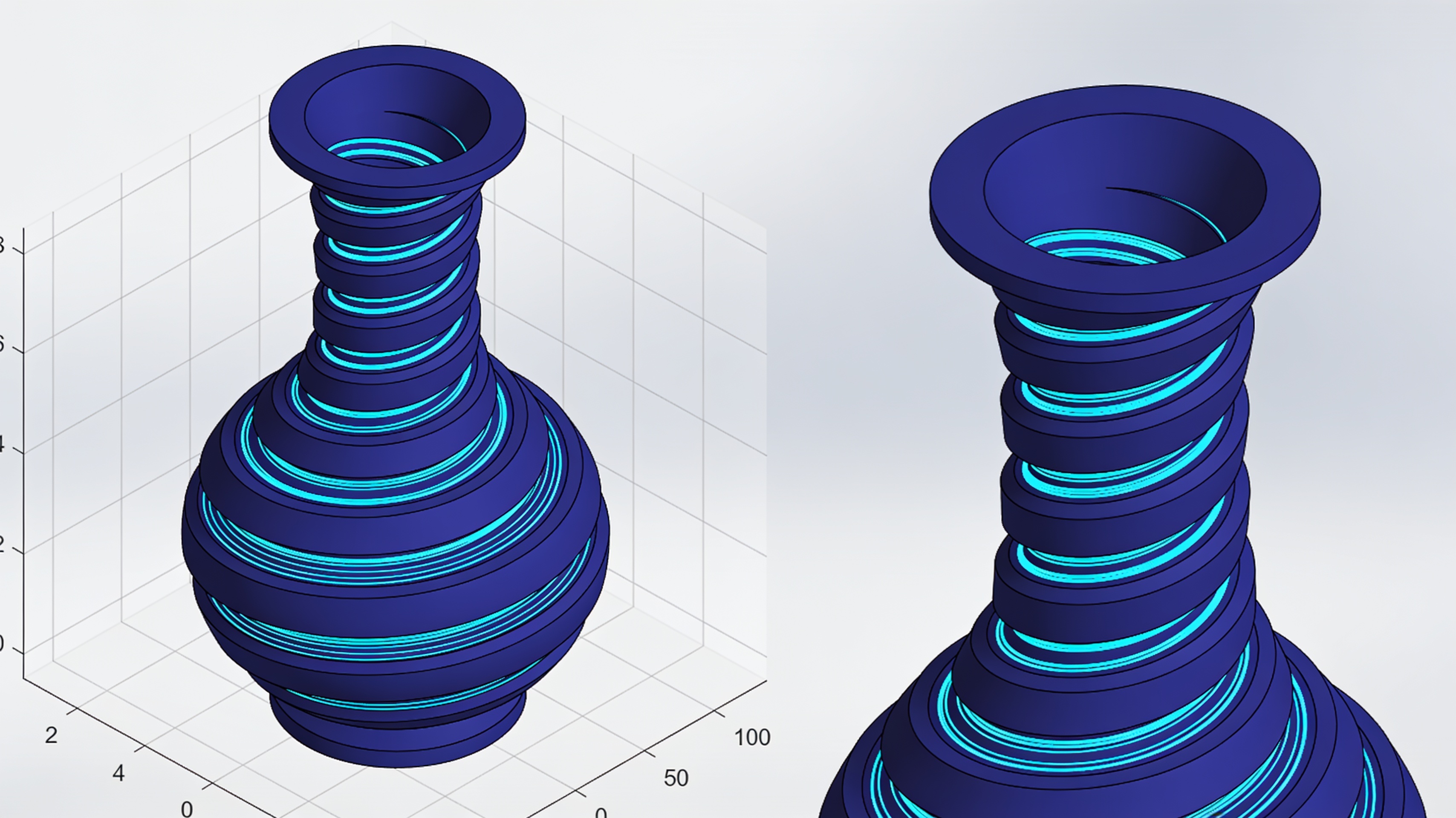
3dSynth: designing FDM print paths directly without going through STL and slicers
Belgian company Kubuz proposes a radical approach to FDM 3D printing: eliminating the STL and slicer step to generate toolpaths directly in the browser. The system turns the nozzle path into the design itself.
The traditional FDM 3D printing workflow involves a precise chain: CAD model, conversion to STL mesh, processing in the slicer, toolpath generation, and finally G-code for the printer. 3dSynth proposes skipping the intermediate steps.
- 3dSynth generates FDM toolpaths directly in the browser, with no account required for the free version
- The designer works on the nozzle path, not on the volume to be filled
- Ideal for vases, lamps, continuous-wall structures, and procedural geometries
- Compatible with Marlin, Klipper, RepRapFirmware, and major slicers for 3MF export
Two workflows compared
The fundamental change is not only the elimination of intermediate files, but who decides the geometry of deposition.
The traditional workflow involves: CAD → mesh/STL → slicer → toolpath → G-code → printer. The 3dSynth workflow reduces the steps: profile/mathematical procedure → toolpath → G-code → printer.
The difference is substantial. In conventional slicers, the designer defines the external volume. The software then reconstructs perimeters, infill, travel, and transitions.
With 3dSynth, the designer works directly on the path that the nozzle will execute. This is why it is more accurate to define it as a procedural environment for toolpaths and meshes rather than a new universal slicer.
G-code Sculptor: when toolpath and geometry coincide
The G-code Sculptor module is the clearest example of the procedural approach: the shape arises directly from the programmed trajectory.
The user creates a profile that describes the shape of the object along the height. They then apply mathematical effects: twist, bend, taper, noise, waves, pattern, displacement, modulations along Z.
Effects can be overlaid and reordered. Order matters: changing it produces different results, as in a chain of mathematical operators.
The model is not triangulated and then rediscovered by the slicer. The system already knows the trajectory to be produced. Every visible oscillation corresponds directly to a change in the nozzle's XY movement.
Vase mode: the ideal use case
Continuous spiral printing makes the most of the potential of the direct toolpath approach.
Vase mode uses a single continuous wall. Instead of performing layer → perimeter closure → Z rise, 3dSynth directly generates the spiral.
This makes it natural to create surfaces where every visible variation corresponds to a precise change in nozzle movement. Vases, lamps, and single-wall structures become ideal applications.
Modular architecture and compatibility
3dSynth runs entirely in the browser and offers several specialized work environments.
The system does not require an account for the free version. It provides modules for creating parametric and procedural shapes, editing meshes, and programming toolpaths using nodes or blocks.
It also includes Custom G-code for analysis and debugging of existing G-code. Mesh Sculptor enables procedural modeling with STL export. Texturize applies displacement to existing meshes.
| Workflow | Traditional | 3dSynth |
|---|---|---|
| Steps | 5 (CAD→STL→slicer→toolpath→G-code) | 3 (profile→toolpath→G-code) |
| Deposition control | Indirect (via slicer) | Direct (designer) |
| Ideal applications | Complex solid objects | Vases, lamps, lattices |
Compatibility covers the most common firmware: Marlin, Klipper and RepRapFirmware. Files can be exported in 3MF format for Cura, OrcaSlicer, PrusaSlicer and Bambu Studio.
Applications beyond vase mode
Continuous-wall structures, printed fabrics and lattices represent other fields where the procedural approach offers advantages.
The approach is particularly suitable for experiments in which the shape and movement of the printhead almost completely coincide.
Lattices and complex patterns can be generated mathematically without first modeling a solid. This opens up possibilities for geometries that are difficult to obtain with the traditional workflow.
3dSynth does not replace slicers for all uses. However, it represents a concrete alternative for those who want direct control over the toolpath and work on procedural or single-wall geometries.
article written with the help of artificial intelligence systems
Q&A
What is 3dSynth and how does it differ from a traditional slicer?
3dSynth is a procedural environment developed by the Belgian company Kubuz that generates FDM toolpaths directly in the browser. Unlike conventional slicers, it does not start from an STL mesh but works directly on the nozzle path, reducing the chain to mathematical profile/procedure → toolpath → G-code → printer.
What are the two workflows compared in the article?
The traditional workflow involves CAD → mesh/STL → slicer → toolpath → G-code → printer. The 3dSynth workflow eliminates the intermediate steps and goes from a profile or mathematical procedure directly to toolpath, G-code and printer.
What is the G-code Sculptor module and how does it work?
G-code Sculptor allows you to create a profile that describes the shape along the height and to apply mathematical effects such as twist, bend, taper, noise, waves, patterns, displacement and modulations along Z. Effects can be stacked and reordered, and the order affects the final result.
Why is vase mode considered the ideal use case for 3dSynth?
Vase mode uses a single continuous wall and instead of executing layers, perimeter closure and Z rise, 3dSynth generates the spiral directly. This makes the most of the direct toolpath approach, making it natural to create surfaces with continuous variations.
Which firmware and slicers is 3dSynth compatible with?
3dSynth is compatible with major firmware such as Marlin, Klipper and RepRapFirmware, and supports 3MF export to major slicers. The free version does not require an account.