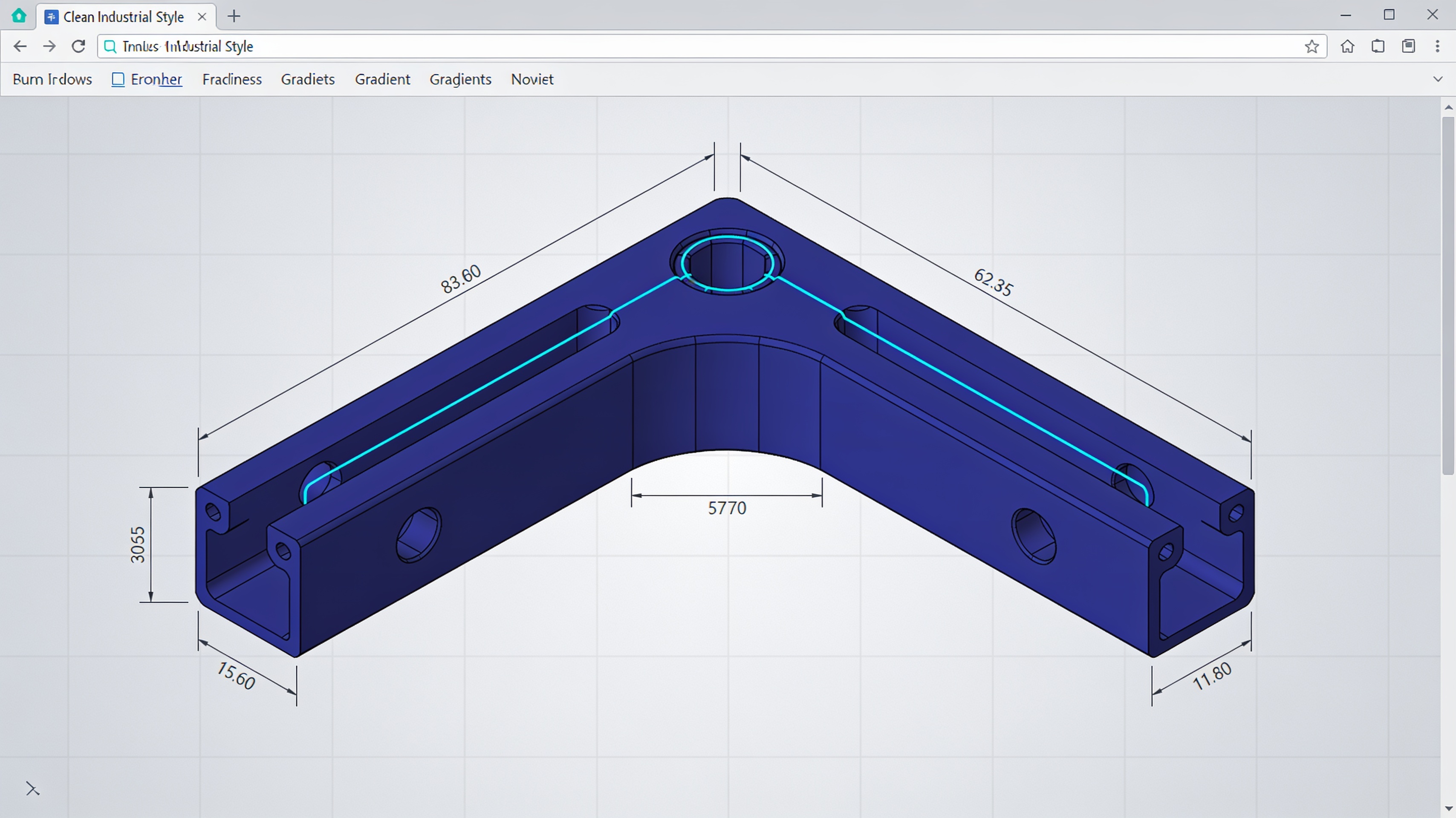
CADProps brings CAD file viewing and measurement directly into the browser
Quickly opening a STEP file received from a supplier, checking the overall dimensions of a component, or comparing two CAD revisions are operations that normally require software compatible with the received format. CADProps proposes a different approach: moving these activities into the browser, without installing the original CAD.
The service, developed by a team based in Singapore, allows you to view and measure CAD files directly in the browser without creating an account; to convert files, however, you need to log in.
A viewer, not a parametric CAD
CADProps positions itself as a tool for quick checking and inspection operations, not as an alternative to traditional CAD software.
The service is not a parametric CAD system. It does not replace SolidWorks, CATIA, Siemens NX, or Autodesk Inventor. It does not offer feature history, parametric sketches, or advanced modeling functions.
The distinction is fundamental. Correctly displaying the geometry of a file and reconstructing the CAD model that generated it are two very different problems.
- Viewing and measuring CAD files directly in the browser
- No installation required; viewing and measurement available without an account
- Support for STEP, IGES and native files from the main CAD systems
- It does not replace parametric CAD: it is a control and inspection tool
From CAD file to Web visualization
The system processes models on the server and generates a representation usable by the browser viewer, distinguishing between B-Rep geometry and mesh.
When a model is uploaded, CADProps processes it on the server and interprets the geometry. For files based on B-Rep CAD geometry, such as STEP and IGES, the system can use the mathematical geometry for certain properties.
For interactive visualization, a tessellated representation is produced. This allows you to rotate the component, select elements, and section it without running the entire original CAD program in the browser.
B-Rep and mesh: a substantial difference
The distinction between parametric representation and mesh is the technically most important point for understanding the capabilities and limitations of the service.
In a Boundary Representation (B-Rep), a solid is described through surfaces, edges, vertices, and topological relationships. A cylinder remains mathematically a cylinder with a given radius.
In an STL file, the same surface is approximated with triangles. By increasing the number of triangles, the representation becomes visually accurate, but it does not return to being the original analytical surface.
Compatibility with major formats
The service supports the most widespread CAD formats in the manufacturing industry, including native files and interchange standards.
CADProps declares compatibility with SolidWorks, CATIA V5, Siemens NX, and Autodesk Inventor. It also supports the STEP and IGES standards for CAD data interchange.
For export and conversion, the system handles formats such as STL, 3MF, OBJ, glTF, and GLB. These formats cover both the needs of 3D printing and those of web visualization.
Applications in the workflow
The service fits into the preliminary verification and quick check phases, before opening in the full CAD.
Typical operations include quickly checking a file received from a supplier, verifying the overall dimensions of a component, and comparing successive revisions. These activities do not require the full functionality of a parametric CAD.
The ability to measure and section models directly in the browser reduces the time for simple inspection operations. For parametric modifications or design, the original CAD software is still required.
| Features | CADProps | Parametric CAD |
|---|---|---|
| Quick view | Yes, browser | Requires installation |
| Measurements on geometry | Yes, B-Rep and mesh | Yes, parametric |
| Modeling | No | Yes, complete |
| Feature history | No | Yes |
Conclusions
CADProps represents a pragmatic approach for control and inspection operations that do not require the complete functionality of a parametric CAD. The distinction between geometry visualization and parametric reconstruction of the model is technically correct and well defined by the service itself.
The main benefit lies in reducing the time required for preliminary checks and in overcoming the barriers associated with installing specific software for each CAD format received.
article written with the help of artificial intelligence systems
Q&A
Is CADProps an alternative to SolidWorks or CATIA?
No. CADProps is not a parametric CAD system and does not offer feature history, parametric sketches, or advanced modeling. It is a tool for visualization, measurement, and quick inspection, not for rebuilding the original CAD model.
Which CAD formats does CADProps support?
The service supports formats such as STEP and IGES, as well as native files from major CAD software. For files based on B-Rep geometry, it can leverage the mathematical geometry for certain properties.
Do I need to install software or create an account to use CADProps?
No, CADProps works directly in the browser without installation. An account is optional for the main features of the service.
What is the difference between B-Rep geometry and mesh in CADProps?
B-Rep describes the solid through surfaces, edges, vertices, and topological relationships, preserving the original analytical geometry. For interactive visualization, CADProps instead generates a tessellated representation, which approximates the surface with triangles.
Where is the team that develops CADProps based?
The service is developed by a team based in Singapore. It allows you to view, measure, and convert CAD files without creating an account for the main features.