Bambu Lab Fleet Hub: centralized management for 3D printer farms, but files remain unencrypted
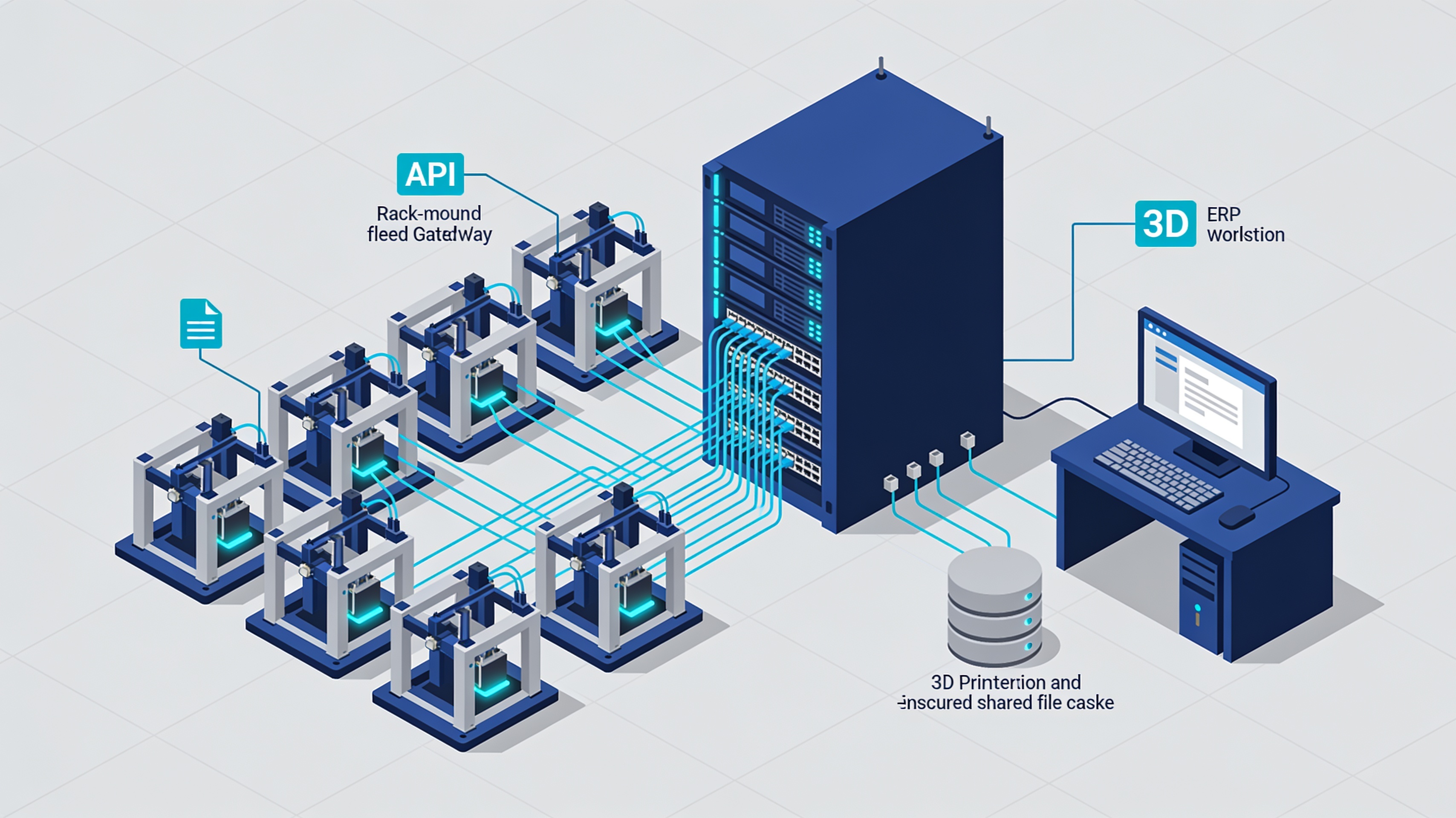
Bambu Lab launches a hardware gateway to coordinate up to 50 printers on the local network, with industrial APIs and ERP integration. However, the official documentation reveals a critical limitation: job files are stored without encryption.
When a 3D printer farm exceeds a dozen machines, manual management becomes a bottleneck. Assigning jobs, monitoring materials and controlling access requires a level of coordination that individual interfaces cannot offer.
Bambu Lab Fleet Hub addresses this need with a dedicated hardware unit installed on the company network. It is not a printer or monitoring software: it is an integration layer between machines and management systems.
- Manage up to 50 printers simultaneously
- RESTful APIs for integration with ERP and production systems
- Local operation after initial activation
- 40 GB cache for job files
- MQTT support for advanced integration
Local architecture with cloud activation
The system operates on the local network, but requires an initial authorization procedure that involves the manufacturer's servers.
The official technical documentation, version 1.0 dated May 20, 2026, clarifies an important aspect. Daily operation is local, but the first connection requires authentication through Bambu Lab services.
For services that manage proprietary designs, this distinction is not irrelevant. The “cloud-free” label describes normal operation, not the entire lifecycle of the system.
The architecture uses X.509 certificates to identify devices and services. The communication channel is protected by TLS. At startup, Secure Boot verifies the integrity of signed firmware components.
API for industrial integration
RESTful interfaces allow automating printer discovery, job management, and filament control.
Fleet Hub exposes control functions through local HTTP APIs. Documented operations include device pairing and unpairing, machine status queries, and job and material management.
A single job can be automatically distributed across multiple printers. This function becomes relevant when the same component needs to be replicated or when the machines have different configurations.
The system also supports MQTT for more complex integrations. Job files arrive in gcode.3mf format and are stored in the local 40 GB cache.
Camera snapshots are available via API. Each printer transmits the latest captured image, which can be viewed centrally without accessing individual interfaces.
The file protection issue
The local cache stores job files without encryption at rest, a critical limitation for those managing proprietary models.
In the version described by the documentation, files stored in the 40 GB cache are not encrypted at rest. Encryption is listed as a future feature.
For a service that receives models from industrial customers, this represents a concrete risk. Physical access to the Hub or a compromise of the local network exposes the files without further barriers.
The documentation mentions encryption of files at rest as a future development, but does not provide timelines. Those designing an installation must evaluate this limitation against their own security requirements.
The system uses MD5 for file identification, an algorithm considered weak for cryptographic applications but still usable for non-critical integrity checks.
Who really needs it
Fleet Hub is aimed at organizations that manage dozens of printers and need integration with existing management systems.
With a dozen printers, manual coordination remains manageable. With thirty or forty machines, it becomes necessary to automate job assignment, material availability checks, and progress monitoring.
ERP integration makes it possible to link production requests to available resources without manual intervention. APIs allow custom workflows to be built that comply with existing company procedures.
Centralized telemetry facilitates preventive maintenance. Instead of checking each machine individually, status is aggregated and made available to monitoring systems.
Conclusions
Bambu Lab Fleet Hub addresses a real need: coordinating printer farms without depending on external cloud platforms. The local architecture and open APIs enable serious industrial integrations.
The limitation of encryption at rest remains a problem for those managing sensitive intellectual property. The documentation explicitly acknowledges it but does not offer immediate solutions.
For service teams and production departments that exceed the critical threshold of manual manageability, Fleet Hub offers concrete functionality. The choice depends on balancing operational needs and specific security requirements.
article written with the help of artificial intelligence systems
Q&A
How many 3D printers can Bambu Lab Fleet Hub manage?
Fleet Hub can coordinate up to 50 printers simultaneously. It is a dedicated hardware unit installed in the company network, not a printer nor monitoring software. It works as an integration layer between the machines and management systems.
Does Fleet Hub work without a cloud connection?
Daily operation is local, but the first connection requires authentication through Bambu Lab services. The 'cloudless' label therefore describes normal operation, not the entire lifecycle of the system. For those managing proprietary designs, this distinction is relevant.
What APIs does Fleet Hub expose for industrial integration?
Fleet Hub exposes local RESTful HTTP APIs for device association and disassociation, machine status queries, job and material management. It also supports MQTT for more complex integrations. Camera snapshots can be viewed centrally via API.
Are work files on Fleet Hub encrypted?
No: the official documentation reveals that work files in gcode.3mf format are stored in the local 40 GB cache without encryption. This represents a critical limitation for services managing proprietary designs.
What security measures does Fleet Hub adopt?
The architecture uses X.509 certificates to identify devices and services, with a communication channel protected by TLS. At startup, Secure Boot verifies the integrity of signed firmware components. However, encryption of work files remains absent.