3D Printer Upgrades: Which Have Real Value?
Every accessory or modification for your desktop 3D printer has a real impact on the final results — here's how to choose the right ones without wasting time or money.
Upgrades for desktop 3D printers can turn a basic machine into a professional tool. But not all accessories are worth the investment. The key is to understand which modifications meet your specific needs and verify compatibility before purchasing.
Verify Compatibility Before Buying
Before investing in any upgrade, check physical dimensions, electrical connections, and firmware requirements to avoid costly compatibility errors.
The market offers numerous accessories for desktop printers, but compatibility remains the first obstacle. Many users purchase components incompatible with their own model.
Always check the available mechanical space on your printer. A larger direct extruder might not fit in the frame. Also check the electrical connectors and the required voltage.
Some upgrades require modifications to the printer's firmware. Verify if your model supports custom updates before proceeding.
Heated beds like the Phaetus POPweb™ Build Plate require precise electrical specifications. An incompatible bed can overload the power supply or damage the motherboard.
Aftermarket top covers, such as those from FYSETC for SnapMaker U1, must fit the frame dimensions perfectly. Measure accurately before purchase.
Upgrades That Change the Game
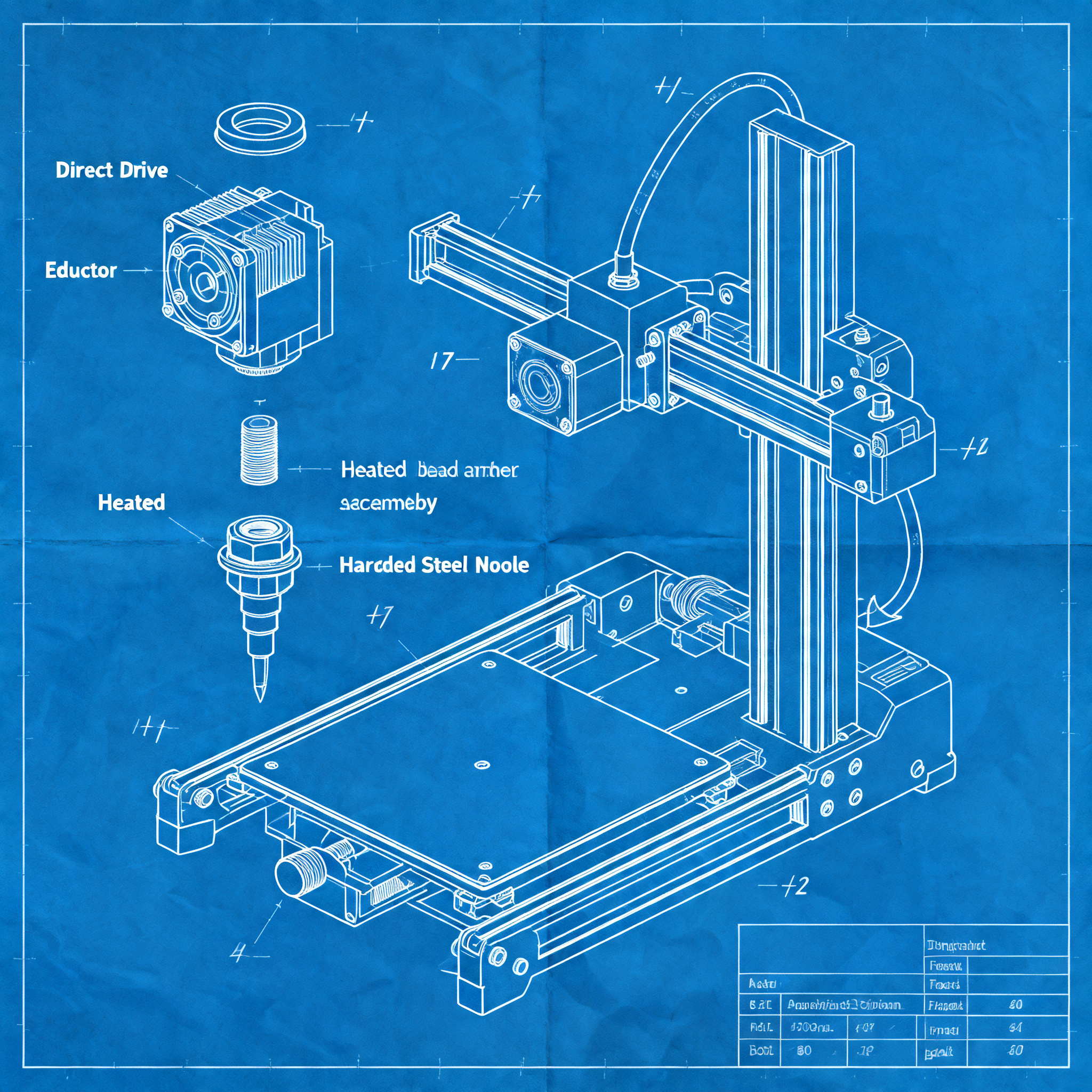
Direct extruders, advanced heated beds, and hardened nozzles represent the modifications with the greatest impact on print quality and versatility.
The extruder is the heart of the printer. Models like the Phaetus DXC2 or BondTech INDX drastically improve extrusion precision. They allow printing flexible materials with greater reliability.
Hardened nozzles, such as the Phaetus Conch, are essential for abrasive filaments. Composite materials with carbon or glass fibers rapidly destroy standard brass nozzles.
| Component | Main impact | Supported materials |
|---|---|---|
| Direct extruder | Precision with TPU/flexible | All filaments |
| Hardened nozzle | Abrasion resistance | PA-CF, PA-GF, composites |
| Advanced heated bed | Adhesion of technical materials | ASA, PC, PEEK |
The new generation heated beds reach temperatures above 100°C. This enables printing of high-performance materials such as PC-ABS or ASA on desktop machines.
Modern printers like Bambu P2S or Prusa Core L already integrate many of these components. But older models can be upgraded to achieve similar results.
From Beginners to Experts: A Practical Roadmap
Follow a logical upgrade path, starting from the simplest and highest-impact modifications up to advanced interventions that require technical skills.
For those starting out, the first modification should be the build plate. Flexible PEI surfaces immediately improve adhesion and make part removal easier.
Recommended upgrade path
- Base level: Flexible PEI build plate and filament runout sensor for more reliable prints.
- Intermediate level: Hardened nozzle for technical materials and filament drying system like Sovol SH03.
- Advanced level: Direct extruder and multi-material management system for continuous production.
Filament end sensors prevent failed prints due to material depletion. They are inexpensive and easy to install, with an immediate impact on productivity.
Filament dryers like the Sovol SH03 are crucial for hygroscopic materials. Nylon and PETG absorb moisture which causes print defects and clogs.
For advanced users, multi-material systems or toolchangers open up new possibilities. But they require complex firmware modifications and accurate calibration.
Conclusion
Choosing the right upgrades increases productivity and print quality without wasting money. Start by verifying compatibility with your specific printer.
Focus on modifications that solve concrete problems in your workflow. A hardened nozzle only makes sense if you regularly print abrasive materials.
Start with a single targeted upgrade — which one would you choose for your next modification? Consider which limitation of your current printer impacts your projects the most.
article written with the help of artificial intelligence systems
Q&A
What are the 3D printer upgrades that have the greatest impact on print quality?
The upgrades with the greatest impact include direct extruders, hardened nozzles, and advanced heated beds. These components respectively improve extrusion precision, abrasion resistance, and adhesion of technical materials.
Why is it important to check compatibility before purchasing a 3D printer upgrade?
Checking compatibility prevents costly errors related to incorrect dimensions, unsuitable electrical connections, or unsupported firmware requirements. For example, a larger extruder might not fit in the frame, or a heated bed could overload the power supply.
Which upgrades are recommended for a beginner user?
For beginners, it is recommended to start with a flexible PEI bed and a filament runout sensor. These upgrades improve model adhesion and prevent failed prints due to lack of material, being easy to install and having high impact.
When is it useful to install a hardened nozzle?
A hardened nozzle is useful when printing abrasive materials such as those reinforced with carbon or glass fiber. These materials quickly wear down standard brass nozzles, so a hardened nozzle increases durability and print quality.
What are the advantages of an advanced heated bed?
Advanced heated beds can reach temperatures above 100°C, enabling the printing of high-performance technical materials like PC, ASA, and PEEK. They improve adhesion and reduce warping during printing.