ShapeAnywhere attempts to make STLs editable directly in the browser with a Mesh-to-CAD feature in beta
A new browser-based CAD promises to reconstruct parametric technical geometry from STL mesh files, addressing one of the historical limitations of 3D printing: modifying models without access to the original design.
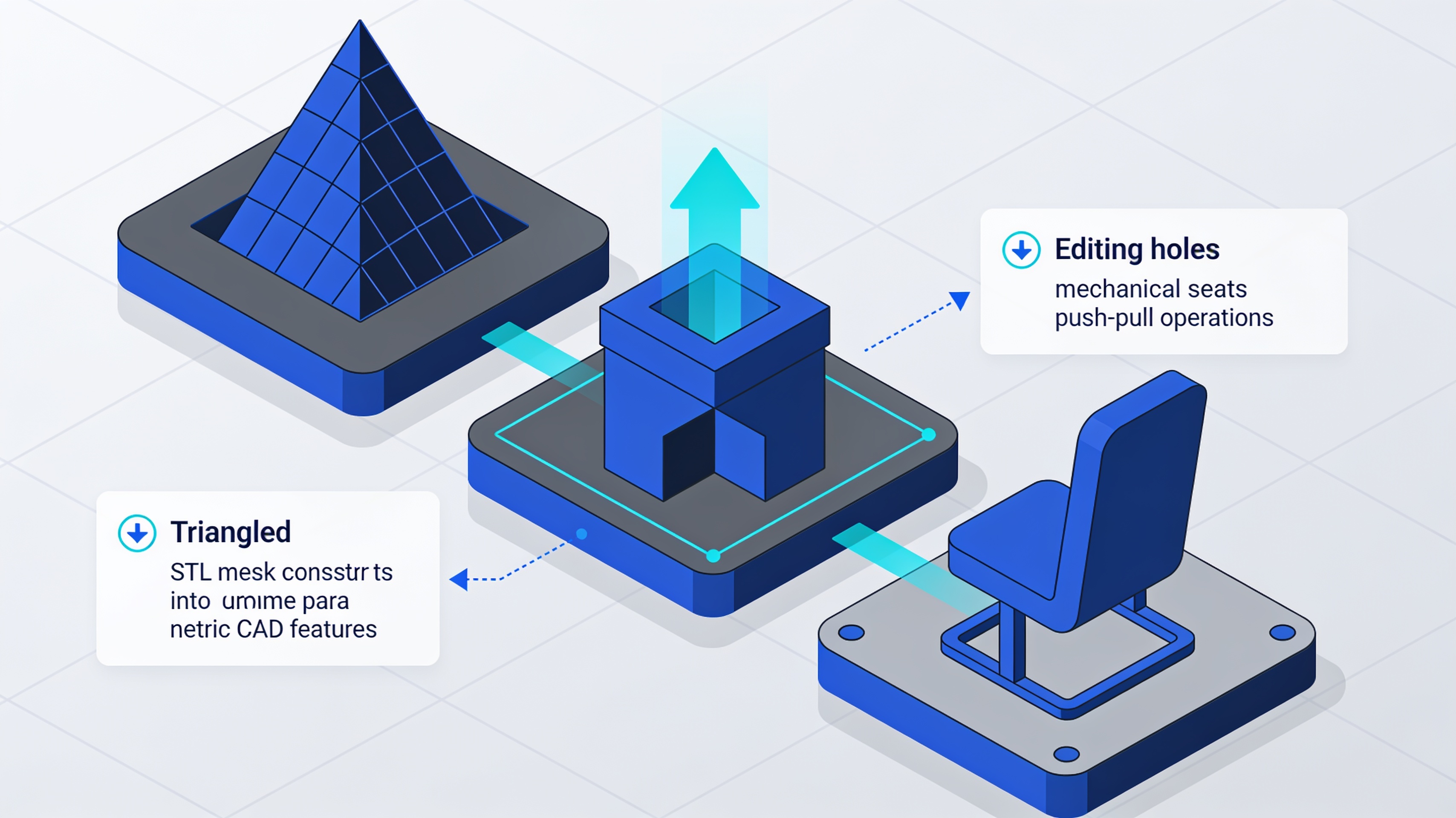
ShapeAnywhere has introduced a CAD platform usable directly from the browser that includes a feature called Mesh → CAD, currently in a paid beta version. The stated goal is to recover editable technical geometry from mesh files such as STL or 3MF, transforming triangulated surfaces into parametric CAD entities.
The project was picked up by industry portals on October 11, 2026. The feature is described as applicable to technical shapes considered suitable, not as a universal solution for any type of object.
- ShapeAnywhere offers browser-based CAD with a Mesh → CAD feature in beta
- Goal: reconstruct editable parametric geometry from STL/3MF files
- The conversion is not universal but limited to suitable technical shapes
- Also includes direct modeling with Push/Pull, offset, and snapping
The historical problem: why STL blocks edits
The STL format represents surfaces through triangles, losing all parametric information and the history of the original CAD operations.
For those who regularly use 3D printing, receiving an STL file without the original CAD project is a frustrating situation. Changing the diameter of a hole or moving a mechanical seat by a few millimeters can become a complex operation.
The STL format describes the external surface through triangles, containing vertex coordinates and face normals. It does not retain information about the function of the surfaces, design parameters, or the history of operations.
A cylinder is not described as a “6 mm diameter hole”: it is represented by a set of triangles that approximate a cylindrical surface. This model works to communicate the final geometry to the slicer, but not to make engineering changes.
A STEP file can represent analytical surfaces and B-rep solids. A parametric sketch retains relationships between elements and editable dimensions. STL contains only triangles without geometric semantics.
Why going back is not a simple conversion
Reconstructing a CAD model from a triangular mesh requires analysis and interpretation of the surfaces, not a simple format conversion.
Going from CAD to STL involves a loss of information. Going back is not a simple format conversion, but a reconstruction problem.
The software must analyze the triangles and infer which surfaces and geometric operations could have produced that shape. A hole must go back to being a true cylinder that can be dimensioned, an inclined surface a geometrically defined plane, a fillet an editable entity with a precise radius.
There are many programs capable of opening an STL, rotating it, scaling it, and modifying some of its triangles. It is much more difficult to reconstruct a parametric geometry with these characteristics.
Two distinct functions: direct modeling and Mesh-to-CAD
ShapeAnywhere separates direct editing of geometries in the browser from parametric reconstruction from mesh, presented as a paid beta feature.
The ShapeAnywhere site presents a beta platform with direct modeling functions in the browser. It is possible to modify parts using Push/Pull, offset, scale, and snapping operations.
This direct modeling is different from the Mesh → CAD function. The former allows immediate modifications to existing geometries. The latter attempts to reconstruct parametric features from STL or 3MF triangular meshes.
| Feature | Direct modeling | Mesh → CAD |
|---|---|---|
| Type of operation | Immediate editing | Parametric reconstruction |
| Input | CAD geometries | STL/3MF files |
| Availability | Basic function | Paid beta |
| Applicability | General | Suitable technical shapes |
Declared limitations and necessary precautions
Mesh-to-CAD conversion is not presented as a universal solution already proven for any object, but as a beta applicable to specific technical shapes.
The description must be kept within the limits of the official documentation. Conversion from STL to CAD is not a universal reconstruction already demonstrated for any object.
On the manufacturer's website, it is described as a paid beta, applicable to technical shapes considered suitable. The distinction is not semantic: it indicates real limits in reconstruction capability.
The browser environment eliminates the need for software installation. This can facilitate access, but the actual performance and capabilities of parametric reconstruction remain to be verified on real production cases.
article written with the help of artificial intelligence systems
Q&A
What is the Mesh → CAD feature of ShapeAnywhere?
It is a paid beta feature that allows you to reconstruct parametric and editable CAD geometry starting from mesh files such as STL or 3MF. It transforms triangulated surfaces into parametric CAD entities directly in the browser.
Does STL to CAD conversion work with any model?
No. ShapeAnywhere qualifies the feature as applicable to technical shapes deemed suitable, not as a universal solution for any type of object. The conversion is therefore limited to certain types of geometry.
Why is an STL file not editable like a parametric CAD?
The STL format describes the outer surface through triangles, with vertex coordinates and face normals, without preserving parametric information or operation history. A cylinder, for example, is not described as a '6 mm diameter hole' but as a set of triangles.
What other modeling features does ShapeAnywhere offer?
In addition to the Mesh → CAD feature, the platform includes direct modeling with Push/Pull operations, offset, and snapping. It is a CAD usable directly from the browser.
When was the Mesh → CAD feature of ShapeAnywhere presented?
The project was picked up by industry portals on October 11, 2026. The Mesh → CAD feature is currently available in a paid beta version.